iVIS HV20の基本的な使い方 準備 カセットの装着
2013年5月26日
2020年11月7日
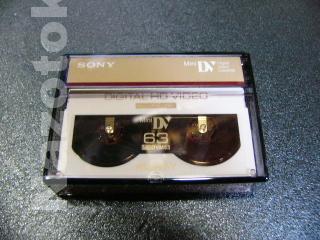
HV20の映像はminiDVカセットに保存されます。用途に合わせてノーマルもしくはハイビジョン用を用意します。

カセット取り出しストッパーをスライドさせてカバーを開きます。

そうすると自動的にカセットホルダーが出てきます。
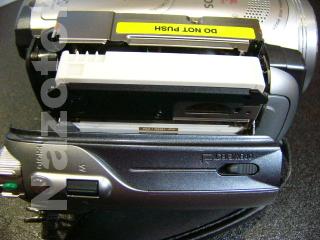
写真のようにカセットを入れます。

PUSHボタンを軽く押すと自動的にカセットが装着されます。

ちゃんとカセットが装着されたのを確認してからカバーを閉めます。

- nazotoki
- 2025-02-05 千葉県 佐倉市 ザ・スパイスクラブ 2025年5月2日
- 2025-01-19 新日本プロレス 佐倉大会 Wrestling Life 40周年 永田裕志Produce Blue Justice XV ~青義出立~ 2025年4月15日
- 2025-01-15 かぶら屋 船橋競馬場駅前店 2025年4月15日
- 2025-01-04 佐倉市の居酒屋 結楽 2025年4月15日
- 2024-12-21 20年ぶりにフォーミュランド・ラー飯能に行って来た ※レンタル走行の営業は休止になります 2025年4月15日