時刻の変更 – Jumper EZpad M10 se タブレット Android
2023年8月23日
Jumperは中国製なので購入したら最初に時刻の変更をしないといけません。
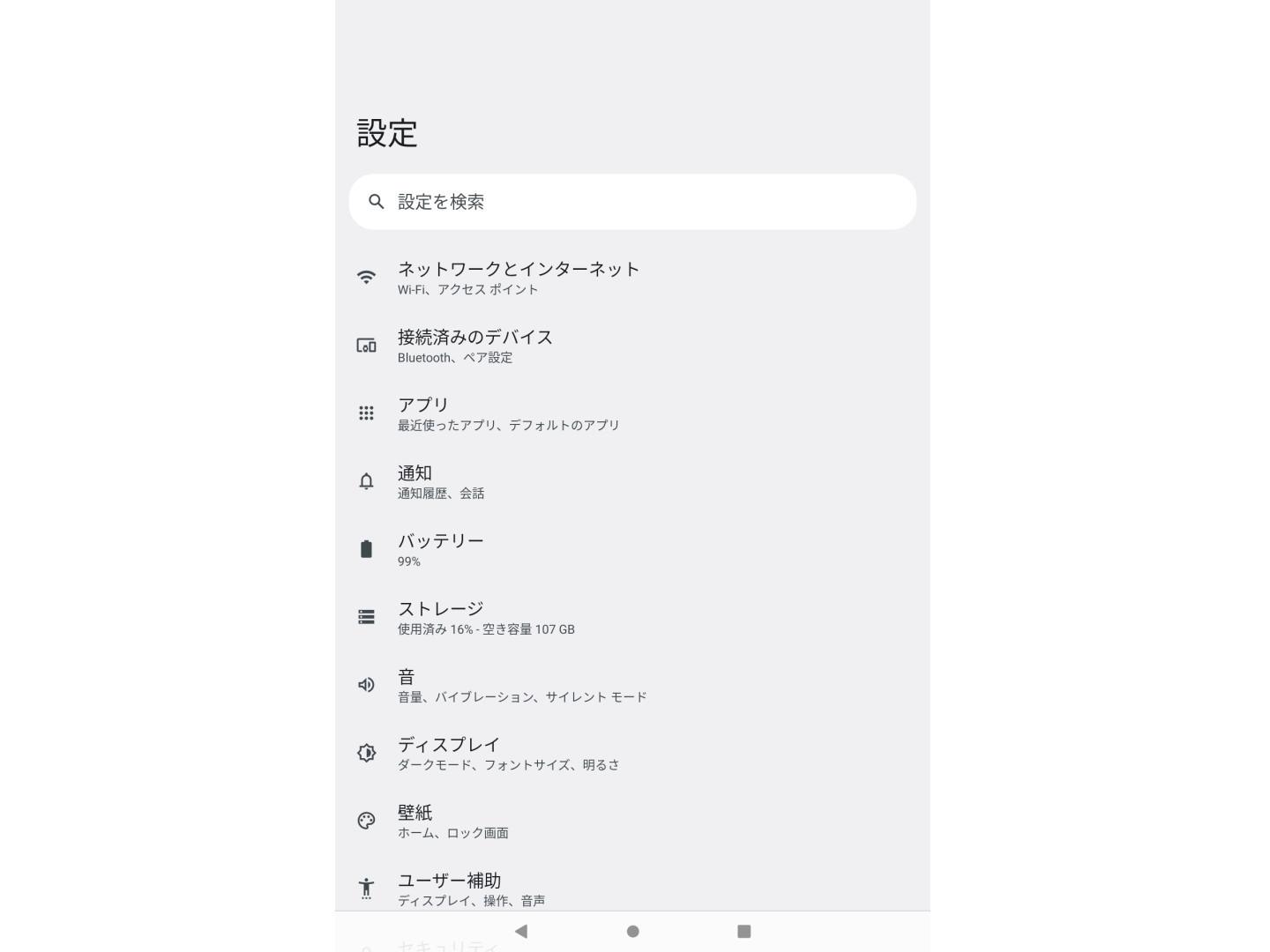
ホーム画面の設定をタップして下のほうにフリックして移動します。
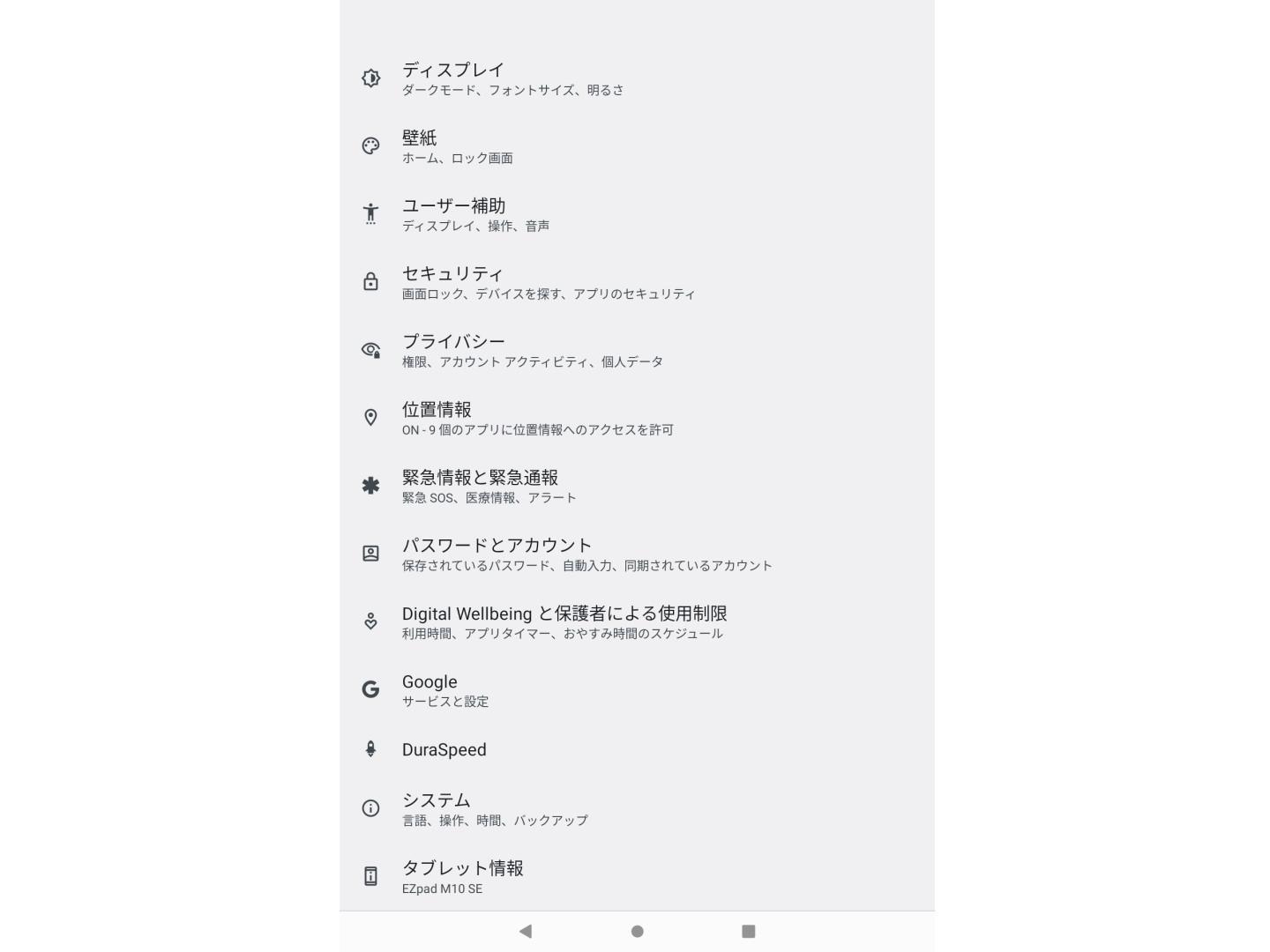
下のほうにあるシステムをタップ。
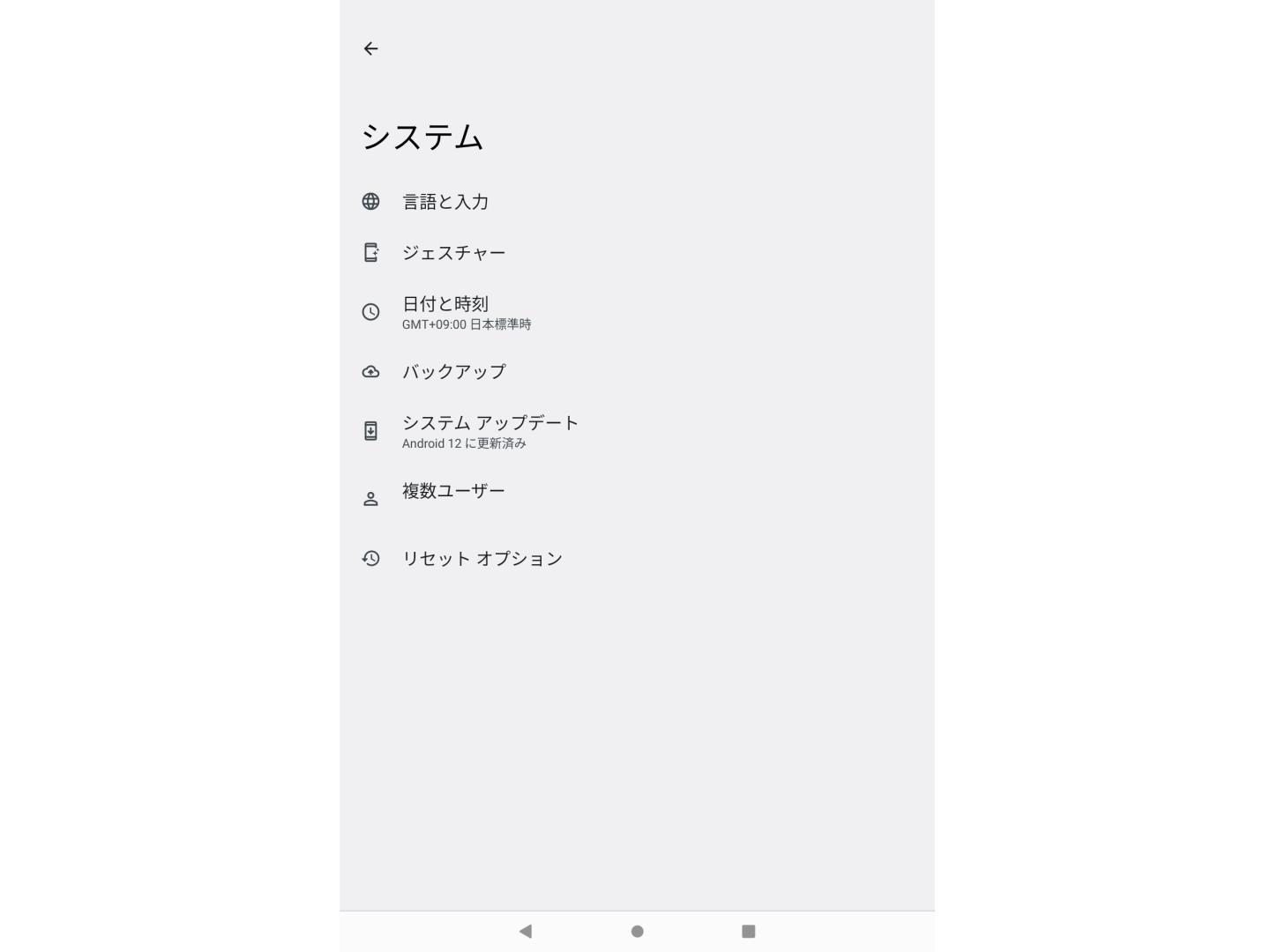
日付と時刻をタップ。
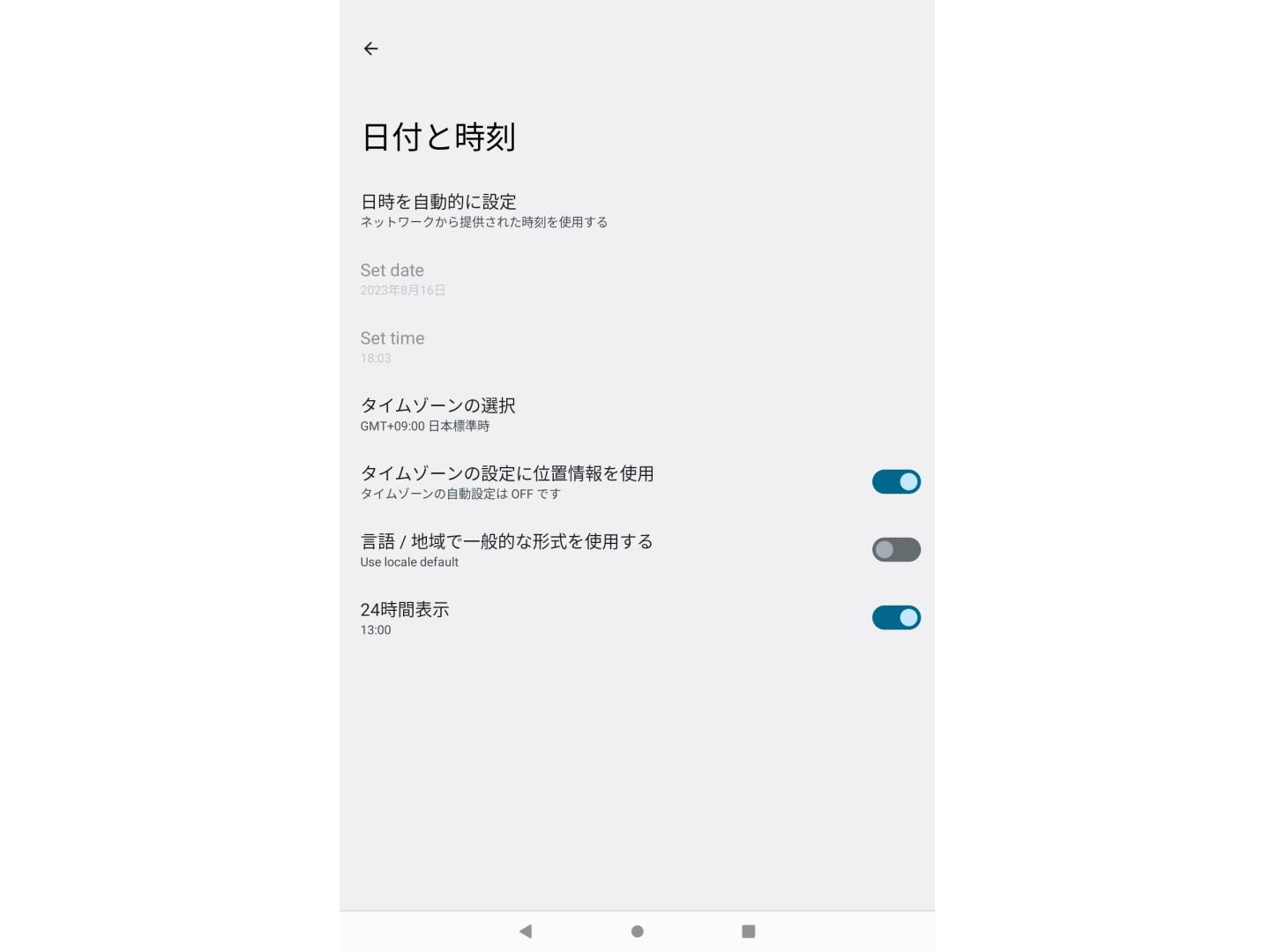
タイムゾーンの選択をタップ
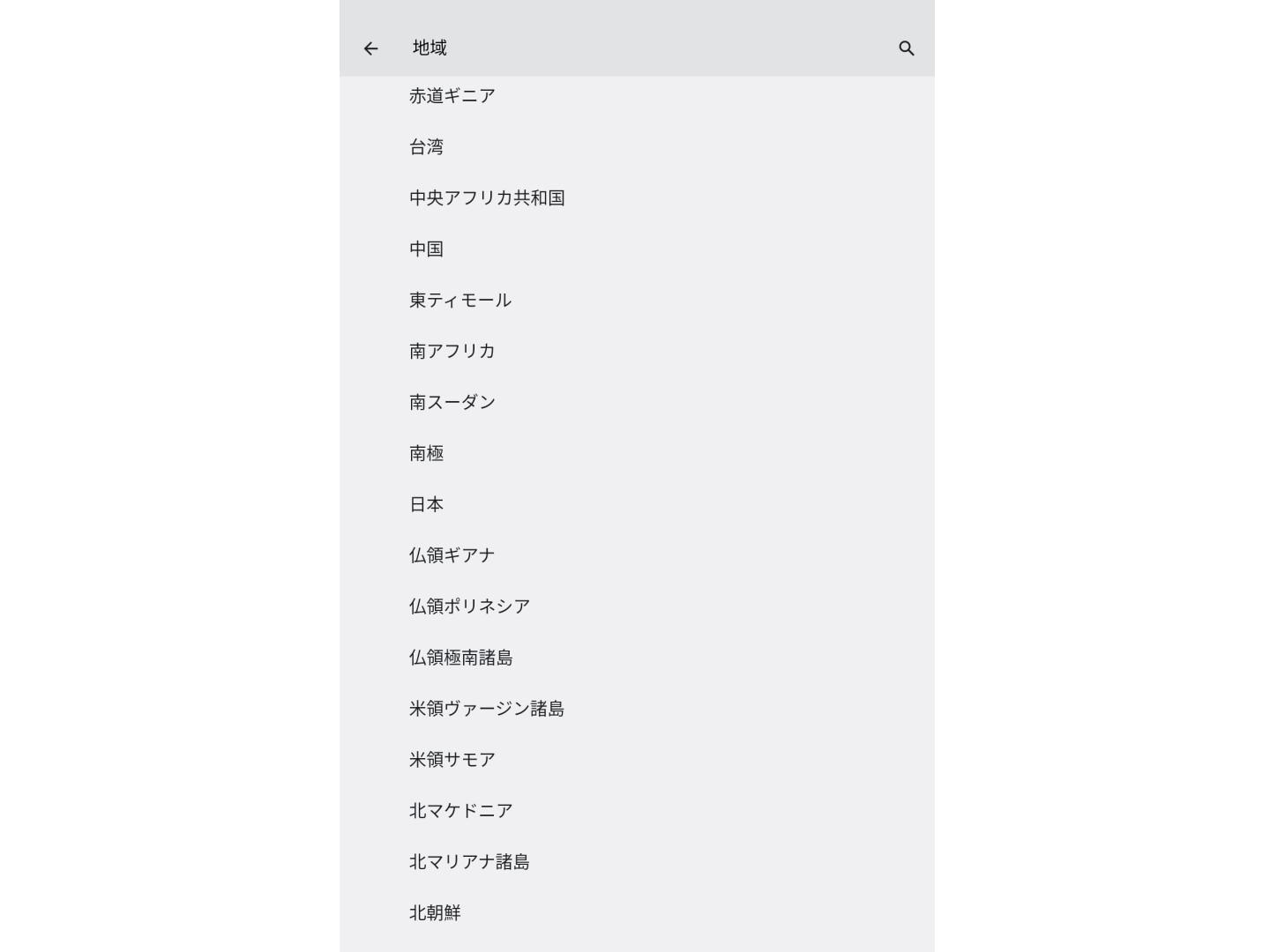
下のほうにフリックして日本をタップ。これでシステムの時刻変更は完了です。
時計アプリの時刻変更
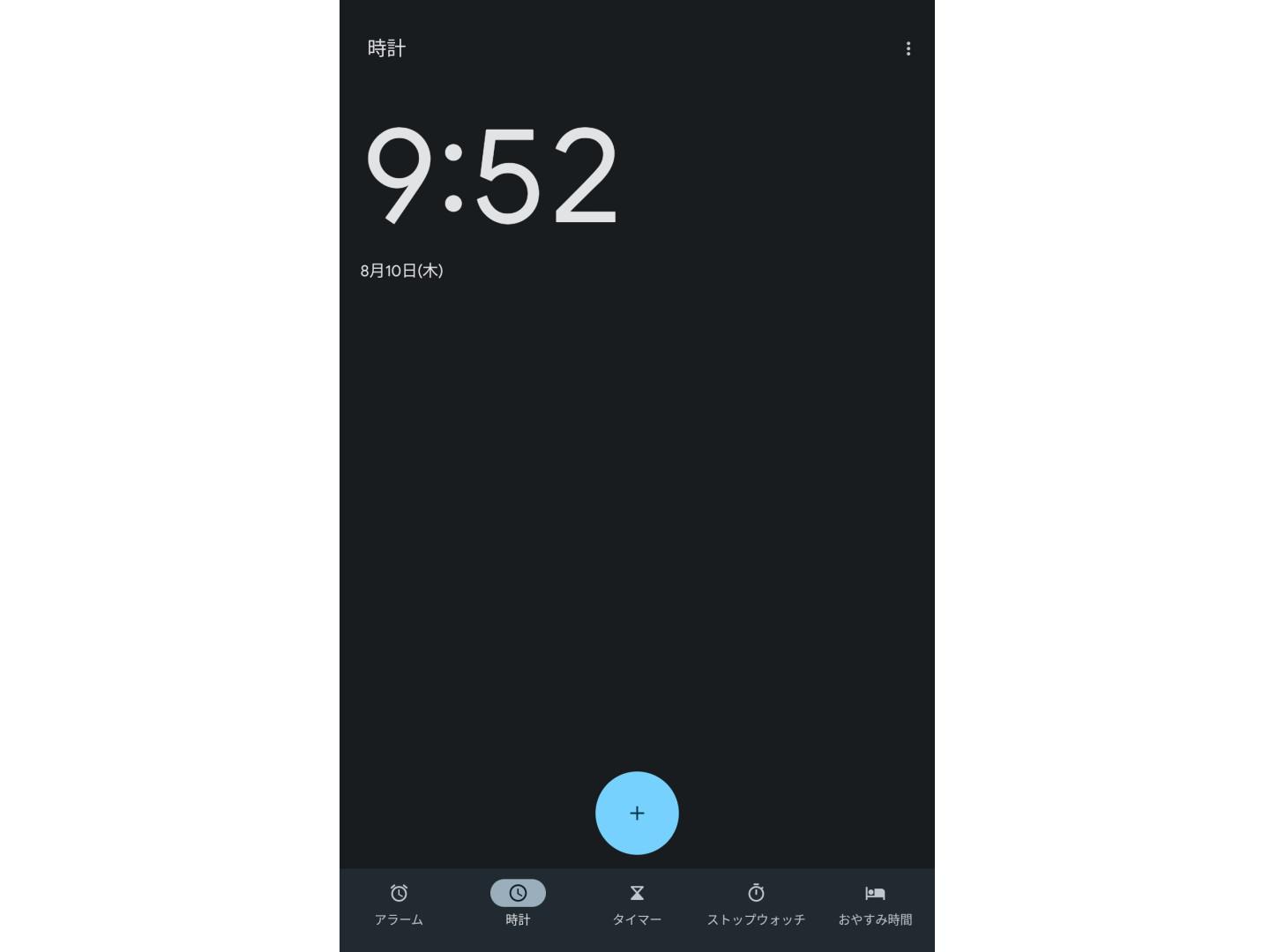
画面右上にある三点リーダーをタップ。
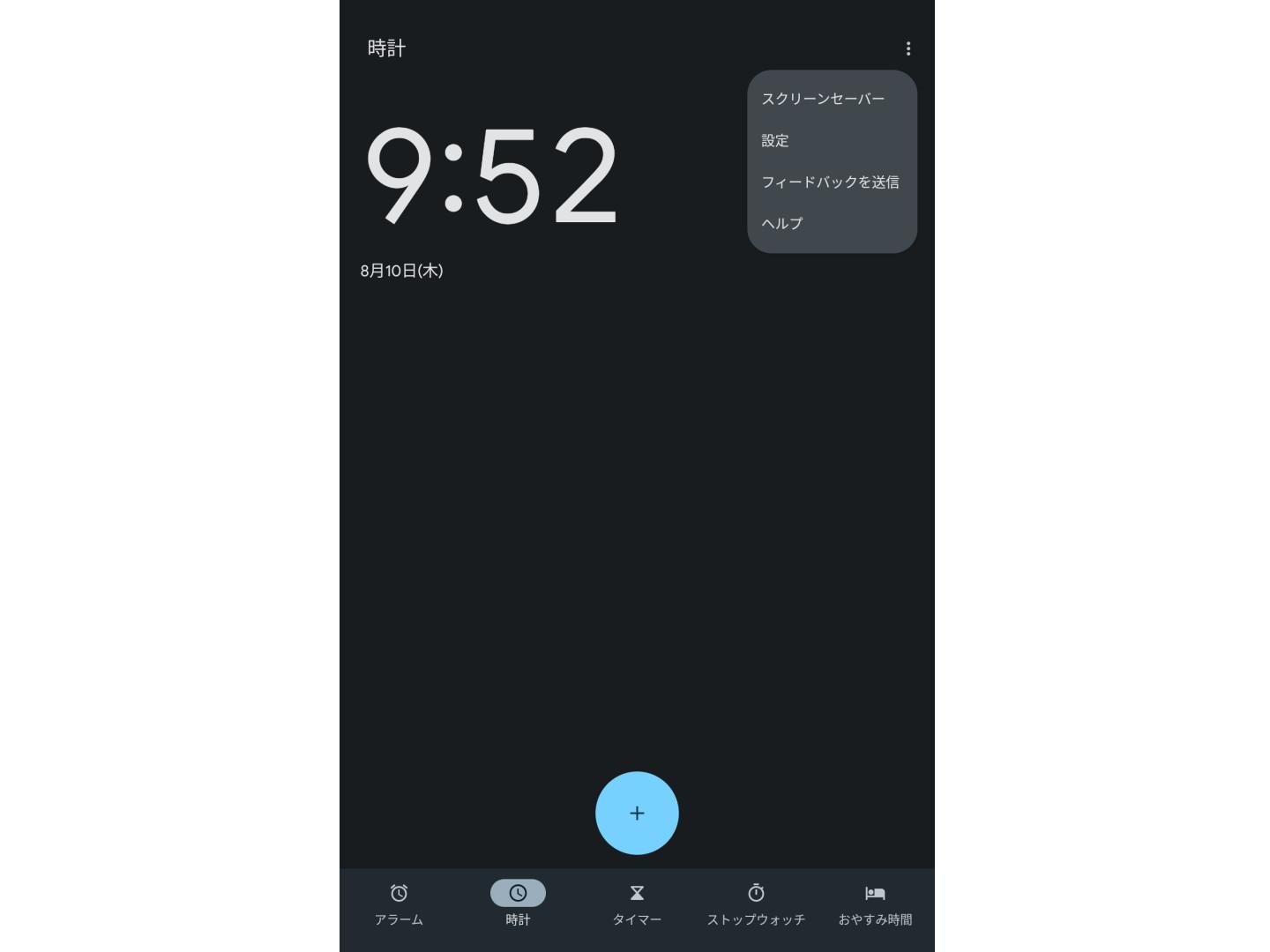
設定をタップ。
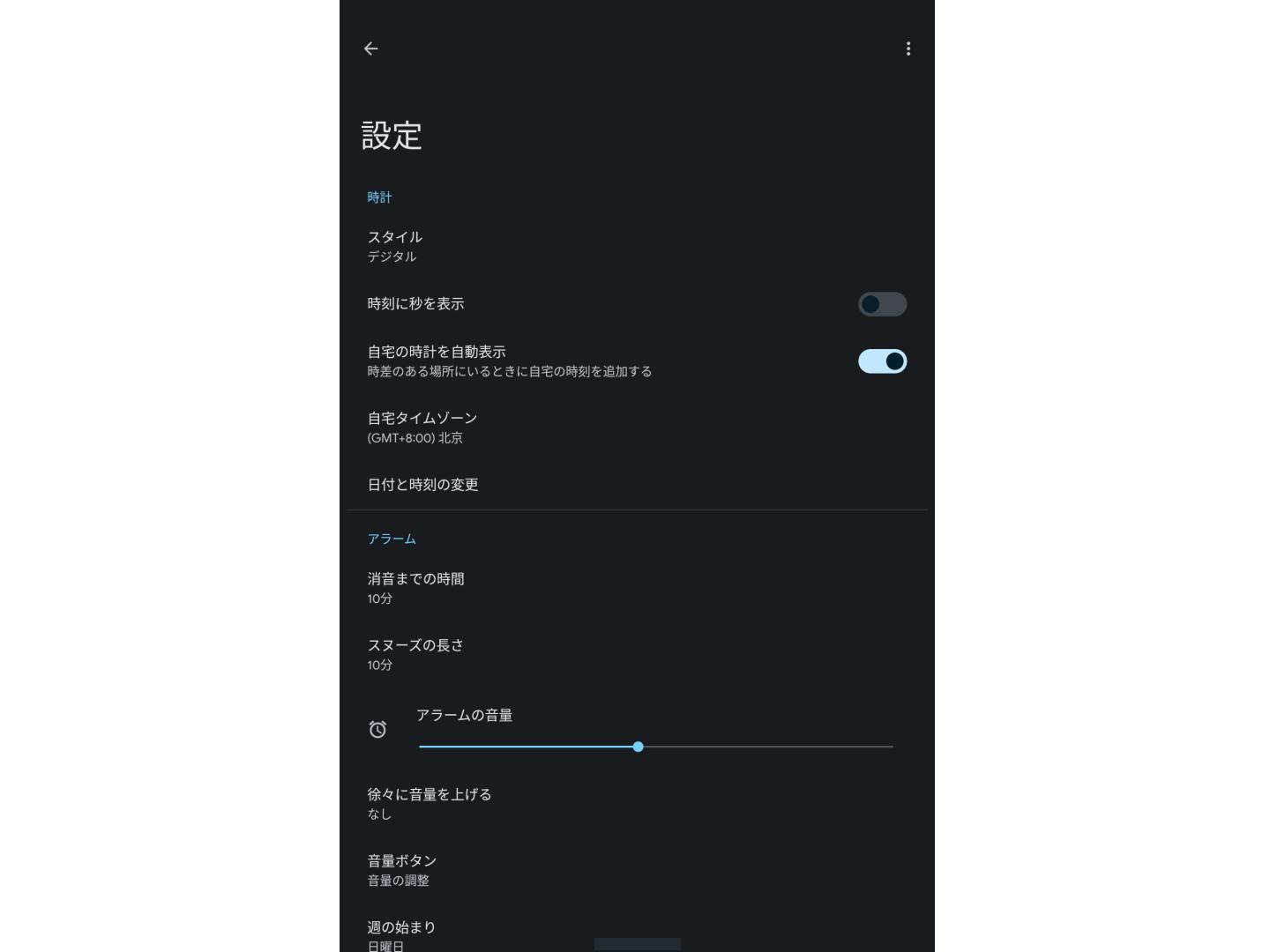
自宅タイムゾーンをタップ。
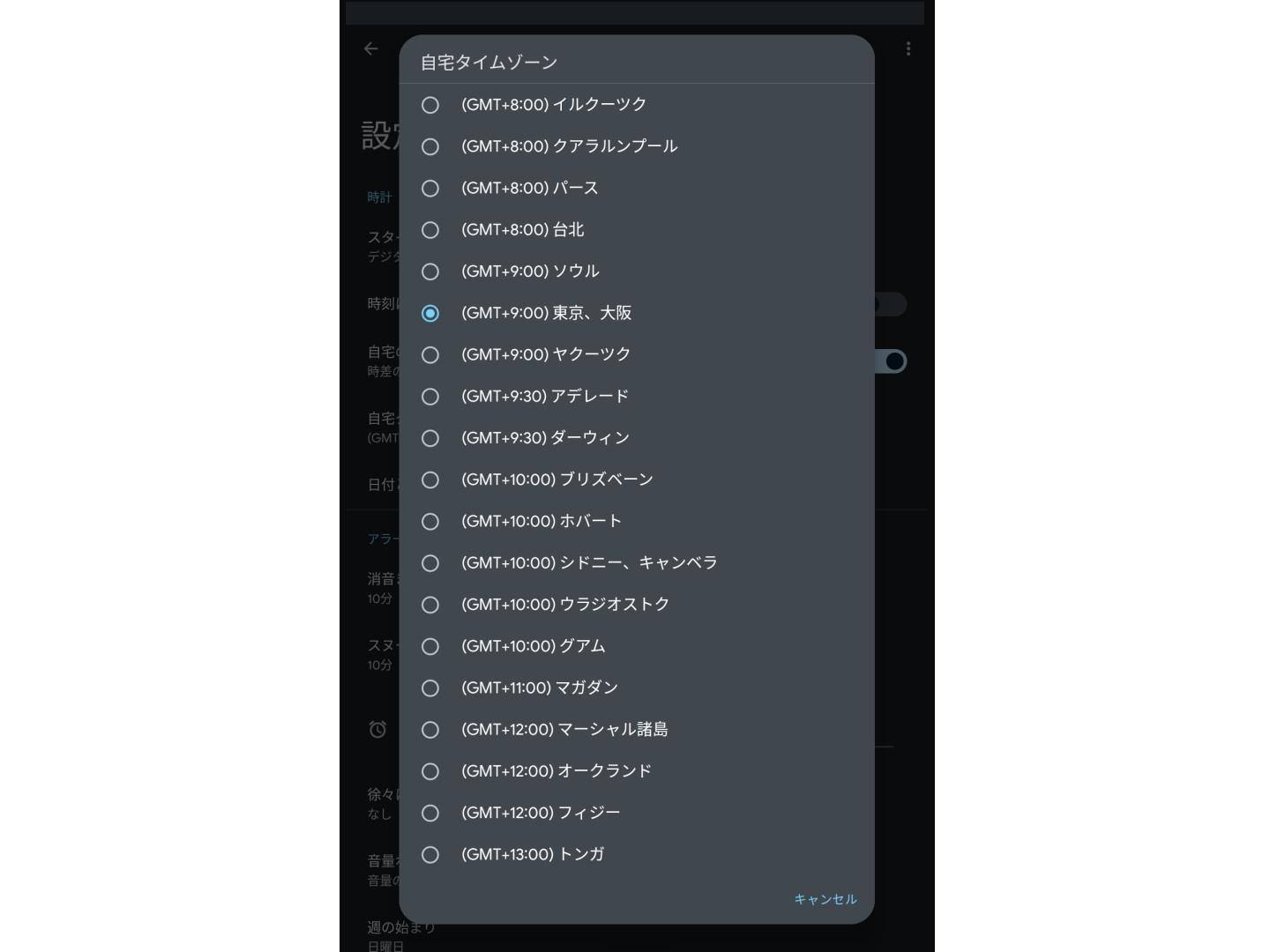
東京・大阪を選択して完了です。

- nazotoki
- 2025-02-05 千葉県 佐倉市 ザ・スパイスクラブ 2025年5月2日
- 2025-01-19 新日本プロレス 佐倉大会 Wrestling Life 40周年 永田裕志Produce Blue Justice XV ~青義出立~ 2025年4月15日
- 2025-01-15 かぶら屋 船橋競馬場駅前店 2025年4月15日
- 2025-01-04 佐倉市の居酒屋 結楽 2025年4月15日
- 2024-12-21 20年ぶりにフォーミュランド・ラー飯能に行って来た ※レンタル走行の営業は休止になります 2025年4月15日